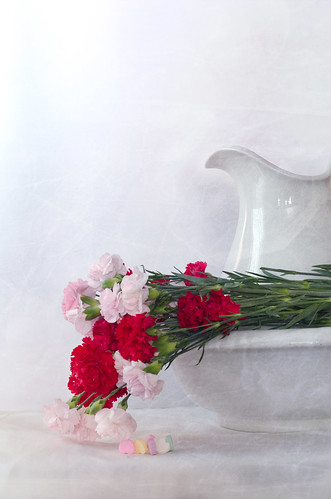
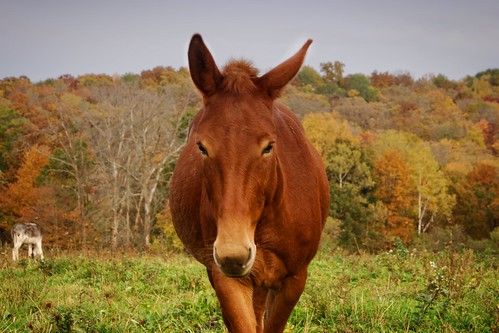
I'm always looking for ways to touch up a photo in a fast an easy sort of manner. I don't like wild over editing, although I will plead guilty to doing it when I feel extremely creative.
I discovered ON1 Effects Free a year or so ago and installed it. I enjoyed playing around with it and then tried the 90 day trial of ON1 10.5. I found I was able to take .RAW files and edit them in the 10.5 version and I really enjoyed the ease of use.
When my 90 days were up, I bought the program.
This was a photo I did in 10.5:
I am not a huge fan of photographing buildings, but each year when I go to the Range to practice for work and Qualify, I go past this church.
I happen to really love photographing this little building.
I thought a vintage look would be fun.
So yes, this would be 'over-edited' but for my creative juices only.
I also sometimes like to work in layers. Imagine how pleased I was that I could layer and mask easily in both ON1 programs.
I normally wouldn't be altering a photo like this and adding extra textures to it, but I thought it would be nice to show how easy it really is to do in ON1.
Here is the original shot.
And then the peeling paint texture added:
I used "Overlay" and lightened it a bit in a layer above the photo, then use a handy little Bug Tool to keep the cup and beads from having the texture.
It was an interesting experiment.
Seriously? I like the plain and straight forward photo myself.
However, this series of edits only took me a few minutes to do. Which is the beauty of this program.
I also didn't have to take hours of Photoshop courses in order to learn how to do it.
I did review how to use this program from a few "Short Clips" from ON1.
I have to admit, I do enjoy being able to be more 'creative' with ON1, at least I can do it all in once place and do it quickly.
I absolutely adore how I can edit my Still Life work.
Showing posts with label ON1 editing. Show all posts
Wednesday, February 22, 2017
Thursday, February 02, 2017
Still Life while the winds blow!
If you think I have a fancy studio for some of my still life work. Think again.
I do have a room now that I can gather my stuff together and leave it while I get distracted for something like, um, let's say, doing chores, making supper, or going hiking.
My go to backdrops are made out of simple cardboard, an old tablecloth, an old rug, and sometimes some velvet scraps I've had in my sewing stuff.
I have a bowl of beads and old fake pearl necklaces and other items that I toss into the mix. I bought a mix of flowers at Walmart that was a bit past its prime. The rose petals began to fall from the flower and I thought the petals were a perfect addition to what I was working on.
I have done most of my 'work' using the existing light from the bedroom window. On cloudy days the light is very subdued and on sunny days it is harsh in the afternoon.
I used a fold up chair and some black velvet for one shot. I leaned some black cardboard up so the pale wall wouldn't show when shooting the rose petals.
After I was done I realized I didn't have the perfect focus so this one really didn't make the 'cut'.
But the concept was nice. I did use some heavy handed editing to remove the dust and grey portions of velvet that showed up in the photo. I used the Perfect Brush in ON1RAW to help with that. What a handy and quick tool it is.
Before brushing...
Next time I try this I would like to have everything in much better focus.
I did end up with a very nice shot however after trying a few other things.
And....
Edited version below with texture from an abandoned building.
Arranging Still Life is still a mystery to me sometimes and I often don't spend a lot of time making an arrangement. It seems to work better if I don't think about it too hard.
So while the wicked winds blew outside, I was in the spare room playing with items.
My husband says I have too much time on my hands. He may be right this week as I was off for his surgery that got cancelled. However I did sell a piece of artwork so I guess it wasn't a complete waste of time.
And then there is my small skull collection...
Opossum in the middle and ground hogs on the outside.
Monday, January 09, 2017
Can't go out to play so...
So I thought I'd get out the bathroom mirror that I saved for whatever reason when the guys gutted the bathroom.
I thought it would be fun to use them this winter in some of my Still Life work.
Again, this was an easy set up. I put the mirror down on top of a plastic tote and then simply began to arrange things around.
The egg was a wild idea. Yes, it is a raw egg and no, there was nothing holding it in place. It looks like the egg-s are suspended.
Rich wasn't feeling good so instead of taking the hike at the Kickapoo Reserve to see the unfinished dam, I decided to stick around the house.
I got out some of my cups, rings, and baubles and arranged them in different manners. I didn't use any other light than that which came in from the window behind me.
I would love to do some light experiments soon though.
I used old necklaces and other items I have in my 'junk' box. I used a doily I found at the flea market as a backdrop along with an old white table cloth.
The silver rings and ribbon came from a wedding invitation that my daughter in law made. Yes I sometimes keep odd things.
And not all are keepers. The photos were okay, but didn't really have any zip or WOW factor.
And then I did this.
And it made it worth it.
I was happy that I stayed inside and didn't go out ... to play.
Monday, January 02, 2017
New Year's Day Hike and ON1RAW2017
New Year's morning came in just like any other winter day. Except we hadn't gone out the night before. We aren't the party type any more.
The sun broke out as we finished up the morning chores. Note to self and husband. The new/used skid steer did not impress me. Since hubby can't put the ice picks on both sides of the steel tracks, it doesn't have the traction it should. It made putting out large bales and fodder to the cattle very complicated.
I think New Holland designed their newer skid steers for comfort more than practical use. Well, at least for our place. Going up a steep icy hill with a huge bale is an issue. The old skid steer had no problems with it. I am not impressed.
With all the watering done, I made venison backstrap, eggs, and toast for an early brunch. Then I gathered my super light tripod and Olympus OMD E M5 camera and headed out with the intention of walking to the east end of the valley.
Intentions are sometimes a bit confusing. I got to the creek and changed my mind. I walked west and discovered some beautiful ice formations glistening in the sunlight.
Morris was not with me so I didn't have to keep an eye on him.
This is where Ariel had built a snow fort for Doe, Deer, and Fawn. I moved on and turned back towards the east with every intention of getting to the end of the valley.
However.
I stopped and spent quite a bit of time exploring the frost on the leaves and grasses in the creek bottom. Up on the ridge it was quite warm. In the creek it was much colder.
I then got sidetracked by the sandstone wall. The ice formations were growing.
I used a timed exposure so the snow and ice above the water would reflect... hopefully on the water.
It worked!
Then I thought, how could I take a photo of me doing some things I liked? The Oly had a remote but it has to be plugged into the camera. So I focused on the wall where I thought it would work and set the timer for 12 seconds.
After a few shots, I got what I wanted.
That worked out so well that I thought I'd set up another photo. This time an action shot.
I focused on a spot where I thought my boot would land and then set up the timer again for 12 seconds. I got it in 2 shots.
I edited all of the hike photos in ON1RAW2017. I have ON1 10.5 which is a dynamite program. The newer RAW program is still a bit 'buggy' but I really like it.
My 'concept' here was to look as if I were leaping from one 'world' into another. My thought is this. Go out to nature and leave the boring world of electronics behind and you will see the wonder of the natural world.
Well there you go. A fun concept even more fun trying to create it.
ON1 10.5 is the preferred method also of doing some heavy editing. Which I did in this self portrait from a few weeks ago.
The sun broke out as we finished up the morning chores. Note to self and husband. The new/used skid steer did not impress me. Since hubby can't put the ice picks on both sides of the steel tracks, it doesn't have the traction it should. It made putting out large bales and fodder to the cattle very complicated.
I think New Holland designed their newer skid steers for comfort more than practical use. Well, at least for our place. Going up a steep icy hill with a huge bale is an issue. The old skid steer had no problems with it. I am not impressed.
With all the watering done, I made venison backstrap, eggs, and toast for an early brunch. Then I gathered my super light tripod and Olympus OMD E M5 camera and headed out with the intention of walking to the east end of the valley.
Intentions are sometimes a bit confusing. I got to the creek and changed my mind. I walked west and discovered some beautiful ice formations glistening in the sunlight.
Morris was not with me so I didn't have to keep an eye on him.
This is where Ariel had built a snow fort for Doe, Deer, and Fawn. I moved on and turned back towards the east with every intention of getting to the end of the valley.
However.
I stopped and spent quite a bit of time exploring the frost on the leaves and grasses in the creek bottom. Up on the ridge it was quite warm. In the creek it was much colder.
I then got sidetracked by the sandstone wall. The ice formations were growing.
I used a timed exposure so the snow and ice above the water would reflect... hopefully on the water.
It worked!
Then I thought, how could I take a photo of me doing some things I liked? The Oly had a remote but it has to be plugged into the camera. So I focused on the wall where I thought it would work and set the timer for 12 seconds.
After a few shots, I got what I wanted.
That worked out so well that I thought I'd set up another photo. This time an action shot.
I focused on a spot where I thought my boot would land and then set up the timer again for 12 seconds. I got it in 2 shots.
I edited all of the hike photos in ON1RAW2017. I have ON1 10.5 which is a dynamite program. The newer RAW program is still a bit 'buggy' but I really like it.
My 'concept' here was to look as if I were leaping from one 'world' into another. My thought is this. Go out to nature and leave the boring world of electronics behind and you will see the wonder of the natural world.
Well there you go. A fun concept even more fun trying to create it.
ON1 10.5 is the preferred method also of doing some heavy editing. Which I did in this self portrait from a few weeks ago.
The woods are in me...
Of course I got side tracked in exploring the frost and the creek in just a small area. I had to get back home as the sun was beginning to fade out of the deep valley.
It would soon be chore time again and time to make supper.
However, I managed to take a photo of Pete, the run away Morris Toy for the story I am working on. I managed to take a shot of Fawn for those kids who love to follow The Doe Story and headed back towards home. My fingers and toes were frozen.
So I leave you with a few shots I got on my New Year's Day hike.
Enjoy
Happy New Year.
Saturday, November 26, 2016
Things I am learning about Still Life Photography
I really thought I disliked Still Life photography.
In fact I knew that I did not like it.
I would be terrible at it. I'd suck at it.
I wouldn't know what to do with it.
I didn't have the patience for it.
I didn't have the cameras for it.
I liked the outdoors, I was a nature person...
However. When the bleak November skies are dreary. Sometimes a bit of indoor photography is a good alternative.
I don't know what I'll do with some of these shots, but they were fun to 'make'.
I set white painted boards down, and tossed some scrap clothes along with beads, fake jewelry, and a doily that I picked up at the Flea Market. I used a page from my grandmother's daily diary and an old photo of my father in law and his family taken...well, when he was little.
Elliott's book keeps finding its way into my photos. I find the entries pretty interesting.
Then of course, I have to do a bit of silliness.
An old wooden crate, some toy soldiers my youngest son left years ago, and toy dinosaurs.
The real challenge would have been to get them all in focus with some focus stacking.
Then I went back to a favorite of mine that had been packed away for nearly a year. The salt and pepper shaker donkey.
I used a bit of High Key style editing and was pleased.
There is a strange side effect to doing Still Life. You find yourself looking at a scrape of ribbon or cloth and wondering if it would look good in a shot. So you save it.
You find a coffee cup at the flea market with chips and cracks and think, "Wow, this would look neat if I..." and you purchase it with other pieces of "junk".
Slowly your collection of stuff accumulates.
An old lace table cloth.
Ribbons.
Toys.
Cups not fit for drinking out of, and some that are.
Glass bits.
Fake jewelry.
White boards.
Crates. Wood chunks.
Your husband wanders by and watches you set up a tea party with stuffed animals and shakes his head as he walks by.
He is sure that you are certifiably nuts.
And perhaps you are.
Nuts over Still Life.
Saturday, November 19, 2016
ON1 RAW coming ...
About a year ago I ran across a program called ON1 Effect 10.5 Free.
I thought I'd try it. Free right? It was safe, no bugs no malware but it opened up a new style of editing photography and creativity.
I found it extremely useful in adding a little special touch to my still life work.
Soon I was hooked into trying ON1 10.5 the program itself. At first I wasn't quite sure on how to use it, but I soon found it fairly user friendly.
After I watched some short clips which gave me helpful hints, I began to use the program more and more.
One day earlier this spring I wasn't paying much attention to the files I was going through and I opened ON1. I grabbed a .NEF file and opened it. A .NEF file is a RAW file shot with a Nikon camera.
Well jigger me switched.
Not only could I open a RAW file from the Nikon cameras, but I could open RAW files from both my Olympus E-420 and my Olympus EM5.
The file is opened and your RAW editing begins in Enhance. You are not editing your RAW file but leaving it alone and editing a copy.
Exposure, color, detail, all of those tools are before you.
Go to FX and your Enhancements are applied.
Now you have choices of edits that you can apply.
There are many presets and filters to chose from. I think the hardest part of ths is making choices.
However, in this shot I just wanted to bring out the little fern curls a bit better.
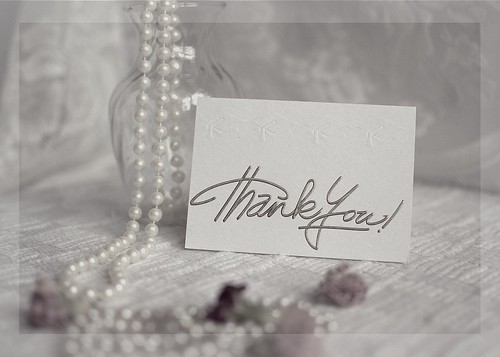
Imagine my relief when I found out I could do effortless masking.
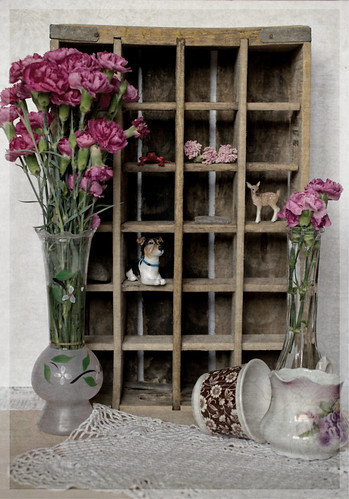
At this point if you hit 'Save' your current working file is saved as a .PSD file that you can transport to another program as Adobe Photoshop or PaintShopPro and continue any edits.
Export will allow you to save the file as a .jpeg, .TIFF, or PNG.
If you want to go fancy and make an edit like my still life shots, you can add textures, gradients, borders, and even items from your own files.
You own the program. You don't lease it.
ON1 has great short clip videos to help you learn.
I've used the portrait editing tool and let me tell you, it is as good as it gets.
NO...ON1 has not paid me to write about this program at all.
I'm just that excited about using it.
Another very cool thing. I opened this photo of my son's dog.
And went to the drop down menu and was able to open up SilverEfexPro 2 and edit the dog in Black and White.
I do like the BW presets in this program also.
What is not to like about ON1 except that I'd never heard of it until early last spring.
Let me just say ON1 Rocks.
But, don't take my word for it, explore the free stuff now.
Check it out.
ON1 RAW will be released soon.
"ON1 Photo RAW is the lightning fast raw processor, photo editor and plug-in collection all in one app photographers have been asking for. Unlike the current class of raw-based photo editors requiring catalogs, bouncing between apps for editing, and a subscription ecosystem, ON1 Photo RAW features a new, modern raw processing engine, tuned for today's sensors and graphics chips. Combined with our current set of tools, the next generation of ON1 Photo 10, will continue to work where you want, as a standalone app, a plug-in for Adobe® Photoshop® & Lightroom®, or a host app for other editing apps.
I thought I'd try it. Free right? It was safe, no bugs no malware but it opened up a new style of editing photography and creativity.
I found it extremely useful in adding a little special touch to my still life work.
Soon I was hooked into trying ON1 10.5 the program itself. At first I wasn't quite sure on how to use it, but I soon found it fairly user friendly.
After I watched some short clips which gave me helpful hints, I began to use the program more and more.
One day earlier this spring I wasn't paying much attention to the files I was going through and I opened ON1. I grabbed a .NEF file and opened it. A .NEF file is a RAW file shot with a Nikon camera.
Well jigger me switched.
Not only could I open a RAW file from the Nikon cameras, but I could open RAW files from both my Olympus E-420 and my Olympus EM5.
The file is opened and your RAW editing begins in Enhance. You are not editing your RAW file but leaving it alone and editing a copy.
Exposure, color, detail, all of those tools are before you.
Go to FX and your Enhancements are applied.
Now you have choices of edits that you can apply.
There are many presets and filters to chose from. I think the hardest part of ths is making choices.
However, in this shot I just wanted to bring out the little fern curls a bit better.
Imagine my relief when I found out I could do effortless masking.
At this point if you hit 'Save' your current working file is saved as a .PSD file that you can transport to another program as Adobe Photoshop or PaintShopPro and continue any edits.
Export will allow you to save the file as a .jpeg, .TIFF, or PNG.
If you want to go fancy and make an edit like my still life shots, you can add textures, gradients, borders, and even items from your own files.
You own the program. You don't lease it.
ON1 has great short clip videos to help you learn.
I've used the portrait editing tool and let me tell you, it is as good as it gets.
NO...ON1 has not paid me to write about this program at all.
I'm just that excited about using it.
Another very cool thing. I opened this photo of my son's dog.
And went to the drop down menu and was able to open up SilverEfexPro 2 and edit the dog in Black and White.
I do like the BW presets in this program also.
What is not to like about ON1 except that I'd never heard of it until early last spring.
Let me just say ON1 Rocks.
But, don't take my word for it, explore the free stuff now.
Check it out.
ON1 RAW will be released soon.
"ON1 Photo RAW is the lightning fast raw processor, photo editor and plug-in collection all in one app photographers have been asking for. Unlike the current class of raw-based photo editors requiring catalogs, bouncing between apps for editing, and a subscription ecosystem, ON1 Photo RAW features a new, modern raw processing engine, tuned for today's sensors and graphics chips. Combined with our current set of tools, the next generation of ON1 Photo 10, will continue to work where you want, as a standalone app, a plug-in for Adobe® Photoshop® & Lightroom®, or a host app for other editing apps.
No Subscription Required."
Labels:
.NEF files,
.ORF files,
good stuff,
learning,
ON1,
ON1 10.5,
ON1 editing,
ON1RAW,
photography,
RAW Files
Subscribe to:
Posts (Atom)