Showing posts with label ON1. Show all posts

Monday, May 01, 2023

Play time.

What is there to do on cold dreary days that rain and snow both at the same time? Well. Dress up in warm clothes and go out in it?

I decided to try a trick or two with some Legos and a monster I picked up at the Flea Market.


This is Harry, he usually rides a motorcycle and does stunts and crashes with it. Apparently he decided to try riding his pet Pterodactyl. I mean, doesn't everyone have a pet Pterodactyl?


The Monster is Spawn's Violator from Circa 1997 -- apparently if this one was in great shape and had is packaging it would be worth $50? I got it at the flea market for $4. I had no idea there was even a comic book series called Spawn. My Granddaughter filled me in on these important things I seem to not be aware of!

The creator of the series of comics even started his own toy company to produce action figures from his series of comics. 

--- Ok.
Back to the how I did this! How did I make the Pterodactyl fly? How did I produce rain and snow on demand?

Here is the original. I used about 6 table spoons of flower that I shook out of a cup onto the characters for snow. 
I used a wire to hold the Pterodactyl up above the grass. [I had many failures and mishaps before I was successful.]


There wasn't much to the follow up editing to get rid of the wire. I was surprised at how easy it was to use something called a magic eraser in the ON1 photo program. Photoshop is the go to program for most people, but I don't like to pay a monthly fee to use it.

The rain in the first shot is really rain...created with the help of a spray bottle with water in it.

I thought I'd try a bit more fun with Harry and his motorcycle. Toy Photography is tough if you want action!

So here is an example of the idea. I used a clear Lego 'stick' for this idea. I didn't have a better way to make Harry appear as IF he was in a mid air crash.


I spent a long time trying to get the angle just right.


The wire trick was much easier to 'erase' from the photo, however ... I am pretty pleased with Harry's trick riding. Enough to try some more efforts along these lines.

Of course Harriet and Hobby got out while I was hiking and they had some fun too.
The Maiden Hair Ferns are starting to emerge from the ground!


Last but not least.
My favorite fun shot of the week that includes toys.

I placed Harriet with her long lens on a rock so she could photograph a Wood Anemone. 
I crouched down to take her photo and 


a Miner Bee chose that moment to visit the wildflowers!

How lucky is that?

Wednesday, May 04, 2022

ON1 and Legos Imagination

Photography can be
the art of
what you 
envision...

ON1 is a photo editing program that I started to use a few years ago. I ended my relationship with Photoshop once they requested a monthly ransom for the use of their product. I purchased Corel PaintShopPro which allowed me to do some of the fun things I could do in PS.

ON1 kept developing their software. And truthfully the cost was much easier to take than the PS costs. The program has great tutorials on line and it is always adding new features.

One of the best things is not having to learn all about layers. ON1 makes layers for adjustments for you. You can use layers too.

The program seems geared towards Landscape and Portrait photography. They have cool things like textures presets, color presets, and something newer called Sky Swap. Oh the horror of Sky Swap! If you don't like your scene as you took it, add an aurora borealis or perhaps a magnificent sunset?  Okay. I am not into that at all.

However, I do like mixing things up and see exactly what I can MAKE the program do that it wasn't developed for. Pushing the edit envelope is a fun brain exercise for me.

Here is a shot of some of my Lego people. I set the figures on a black plastic board used generally for photographing items like jewelry. I set the works on my laptop and used the flat black of the laptop screen as a back drop.


Not very impressive, but with a bit of a touch up of the blacks and the highlights along with a crop and straighten, it is better. I totally love the reflections in the black plastic. Wicked...cool.


This was rather boring. White plastic for the back and black plastic for the figures to stand on.
But wait. 
What if?
I could change all of that?
How about cutting the backround out and replacing it with something else? With the old photoshop program this was doable but it took a lot of time.

I chose to color the figures green for keeping and the other areas red to get rid of them. This is done in a simple masking mode.


Once I had the figures isolated, I added a layer of clouds and then used a fun little thing called Sky Swap and added an Aurora Borealis to the clouds. I mixed up the opacity and went from there.


There was a bit of brightening to do and then I was done.


Why not make things easier on myself and set the figures up with an image in back on the computer screen?
Oh duh, who forgot to move their cursor???

Easily fixed!
ON1 edits of cropping, resizing, and some adjustments to bring out the figurines. Add in some cracked brushes to the edges to cover up mistakes and....


Note:
Experimenting with photography and graphic programs is my hobby. Think of it as a huge empty canvas that I can paint on or make my own strange art.


PS~ Did you know that there are actually Adult Lego Groups out there? 
LUGNET ~ Lego Users Group Network
AFOL ~ Adult Fan of Lego

I had Legos as a kid but they were the hard stiff bricks that only came in red I think. We made buildings for our toy soldiers out of them. And the Kitty Hotel, a home for eraser animals. 
I doubt I will become a Lego collector, but it is fun combining them with photography while stuck inside!


Sunday, October 10, 2021

Strange trends in photography

Do you want to believe your eyes?

Here is an original. A bit dullish, yet beautiful as any overcast dull fall day can be.


Photo editing programs are now coming out with sky swaps. Yes, for real. 

This next shot is sky swapped ... I made it pretty obvious. And I hit one single AI button that told the program to Use a Fall preset which automatically increased the oranges and yellows. 


Obviously, I was not out in a storm with lightening strikes as the sky image suggests. 
I could have added a tornado, a sunset, or beautiful clear skies. What really jerks my chain is I could add the MilkyWay or an Aurora Borealis. 

Now. I might do these things IF I were doing perhaps a fantasy photo. But never ever a photo of things I would be taking of a normal scene.

The best part of photography is searching for good light and interesting conditions. Saturday morning we had some incredibly thick fog. So Charlie and I took a stroll through the woods to 'find' interesting light and fog.

Of course, it never turns out exactly like I 'see' it in my mind. But if I am going to really make a large edit, I will own up to it.

I am all for art. I like well done composits that invoke a scene of fantasy. I can appreciate art for art.

But I cannot condone photographers adding another sky just because they can pick a prettier one.

What is the incentive then to actually go out during a sunrise or sunset to be awe inspired by nature and photograph it, if you can 'just make it'.

But in order to be noticed as a Pro photographer today, it seems more and more that a person has to add the wow factor. 

Here is a pretty wild edit I did quite a while ago. 


Yes, I like to mess around, but I will never pass off an artificial sky. I took this sky and added cloud brushes, a moon brush, and star brushes. I changed Siera to be pure black with the fence and grasses behind her. It was just a fun thing I did one night when I couldn't sleep. 


Monday, November 21, 2016

It looks better through the lens...


See?
This is the spare bedroom now. And I thought I'd take a photo of how I set things up.
I had to use a tripod because the day was so overcast and gloomy that very little light was coming in the west window.

But the result turned out well.


Gourds and rocks on an old shipping box from Rock Falls, ILL USA!

Here is a shot of the room as a mess. When I get in the 'creative' mood, things are dropped all over as I try things out.


I was doing a very nice family/memory/things of the past photo and decided to grab a dinosaur and use the pearls...

Sometimes silliness wins the day.

However I did complete the serious shot I had been thinking about.


The elements are a photo of Rich's father's brothers and sisters. A doily, pearls, and a page from my Grandmother Pearl's diary.

This morning I went out to the woods and found that the rapid temperature change had done some neat things. I detoured with my blaze orange on from the trail camera to a place further downstream.


Well I had no tripod and the light was not very good.
So I put the camera down and steadied it with rocks. I put the timer on a 2 second delay and shot the ice and water.

I think it worked well. Improvising is a good thing.

I then wanted to see it as it was ... cold. So I made it black and white.


Programs used SilverEfexPro [free for download].

So there you have it.
I also used ON1 for editing.

Saturday, November 19, 2016

ON1 RAW coming ...

About a year ago I ran across a program called ON1 Effect 10.5 Free.
I thought I'd try it. Free right? It was safe, no bugs no malware but it opened up a new style of editing photography and creativity.


I found it extremely useful in adding a little special touch to my still life work.


Soon I was hooked into trying ON1 10.5 the program itself. At first I wasn't quite sure on how to use it, but I soon found it fairly user friendly.

After I watched some short clips which gave me helpful hints, I began to use the program more and more.

One day earlier this spring I wasn't paying much attention to the files I was going through and I opened ON1. I grabbed a .NEF file and opened it. A .NEF file is a RAW file shot with a Nikon camera.

Well jigger me switched.
Not only could I open a RAW file from the Nikon cameras, but I could open RAW files from both my Olympus E-420 and my Olympus EM5.


The file is opened and your RAW editing begins in Enhance. You are not editing your RAW file but leaving it alone and editing a copy.
Exposure, color, detail, all of those tools are before you.

Go to FX and your Enhancements are applied.

Now you have choices of edits that you can apply.


There are many presets and filters to chose from. I think the hardest part of ths is making choices.
However, in this shot I just wanted to bring out the little fern curls a bit better.


Imagine my relief when I found out I could do effortless masking.

At this point if you hit 'Save' your current working file is saved as a .PSD file that you can transport to another program as Adobe Photoshop or PaintShopPro and continue any edits.

Export will allow you to save the file as a .jpeg, .TIFF, or PNG. 

If you want to go fancy and make an edit like my still life shots, you can add textures, gradients, borders, and even items from your own files. 

You own the program. You don't lease it. 
ON1 has great short clip videos to help you learn. 
I've used the portrait editing tool and let me tell you, it is as good as it gets. 

NO...ON1 has not paid me to write about this program at all.
I'm just that excited about using it.

Another very cool thing. I opened this photo of my son's dog.
And went to the drop down menu and was able to open up SilverEfexPro 2 and edit the dog in Black and White.

I do like the BW presets in this program also.

What is not to like about ON1 except that I'd never heard of it until early last spring.


Let me just say ON1 Rocks.

But, don't take my word for it, explore the free stuff now.
Check it out.


ON1 RAW will be released soon. 
"ON1 Photo RAW is the lightning fast raw processor, photo editor and plug-in collection all in one app photographers have been asking for. Unlike the current class of raw-based photo editors requiring catalogs, bouncing between apps for editing, and a subscription ecosystem, ON1 Photo RAW features a new, modern raw processing engine, tuned for today's sensors and graphics chips. Combined with our current set of tools, the next generation of ON1 Photo 10, will continue to work where you want, as a standalone app, a plug-in for Adobe® Photoshop® & Lightroom®, or a host app for other editing apps.
No Subscription Required."

Thursday, October 20, 2016

Just Picture it!


OH I know ... I know!
I ranted about editing just a bit ago, saying take that shot, make it perfect, be...a true perfectionist.
However.
Here is a sample of a before [above] and after editing [below]. I used a graduated filter in PaintShopProX7 to give the sky a bit more of a punch and the water a bit more blue.
The shot below is what is looked like to me in my mind's eye.


I like to change things up and sometimes when I take a fall or winter photo all the colors just seem wrong.
What I see in my eyes is not what the camera shows me no matter how hard I work at it.

For example, I was out in the pasture the two days ago and the lighting was subdued but the colors were absolutely brilliant.


There is not much difference between the Original here and the edit. Just enough added warmth added in Viveza 2, from the Nik Collection. [The Nik Collection is free for download now as they are not developing it any further.]


More of a difference here. The yellows are more defined without the saturation becoming too offensive. This is more how my 'eyes' saw it. However, my camera is set to 'natural' and doesn't 'up' the saturation. There are settings on most cameras that allow you to take jpegs on a more colorful setting.


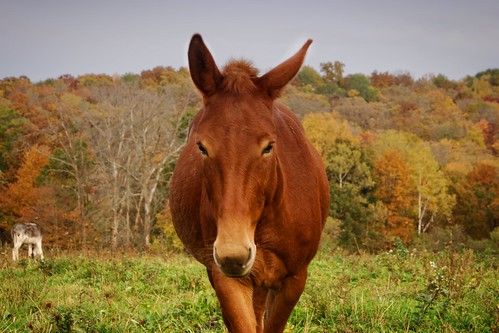
Here is two of our elderly donkeys. On the left is Princess and on the right is Emma.

I took this shot into ON1, a program that is now my favorite.
I took a bit of liberty with how I wanted this image to brighten up.


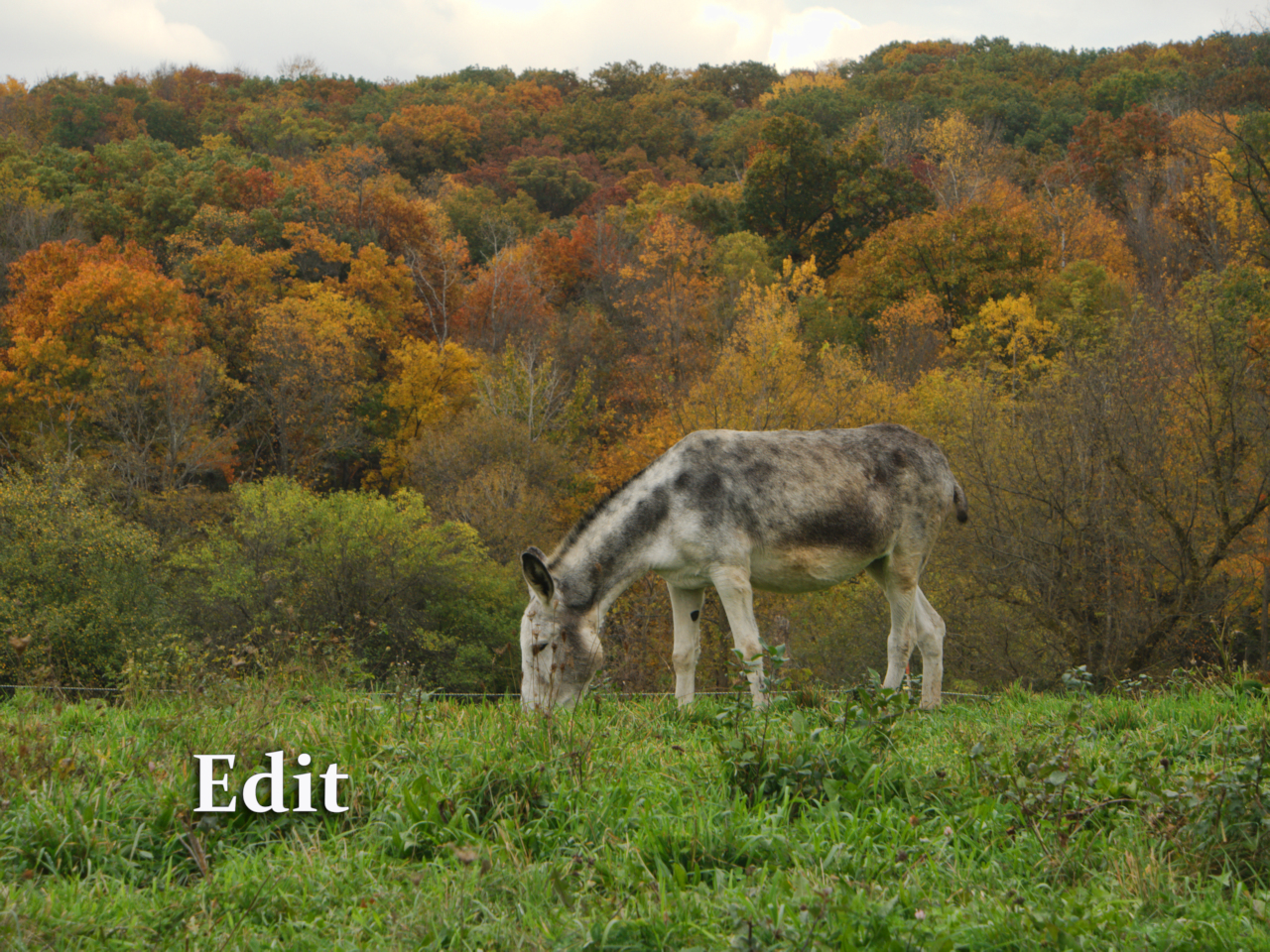
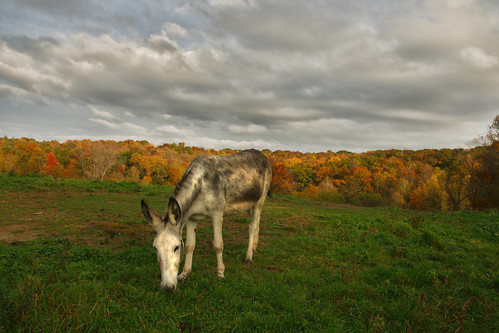
And then there was Julie...she was kind enough to pose again.


I thought the clouds and the skies were fantastic and needed to be brought out in the photo.


For this edit, I used PaintShopProX7 and Topaz Adjust 5. I edited the sky and the foreground separately.

And then one more edit. Julie's colors seem dim in this shot now. So I went back and did a bit of dodging on her body...


I do edit. I like to keep it somewhat realistic unless I am going for something completely odd and fun.

There you go. Fall color edits with donkeys as my star models.